About
I got cross-eyed reading recipes, so I built this
The short version: my sister found a recipe format online, we both loved it, and she told me to make an extension out of it.
The complaining came first
I was making dinner and complaining to my sister, Shelley, about it. Not about the cooking. About the reading. I'd get three steps in, look away to chop something, look back, and lose my place. Then I'd reread the same paragraph for the fourth time, hunting for which of the six ingredients in it I hadn't used yet. I read 50+ books a year and recipe instructions still slide right out of my head.
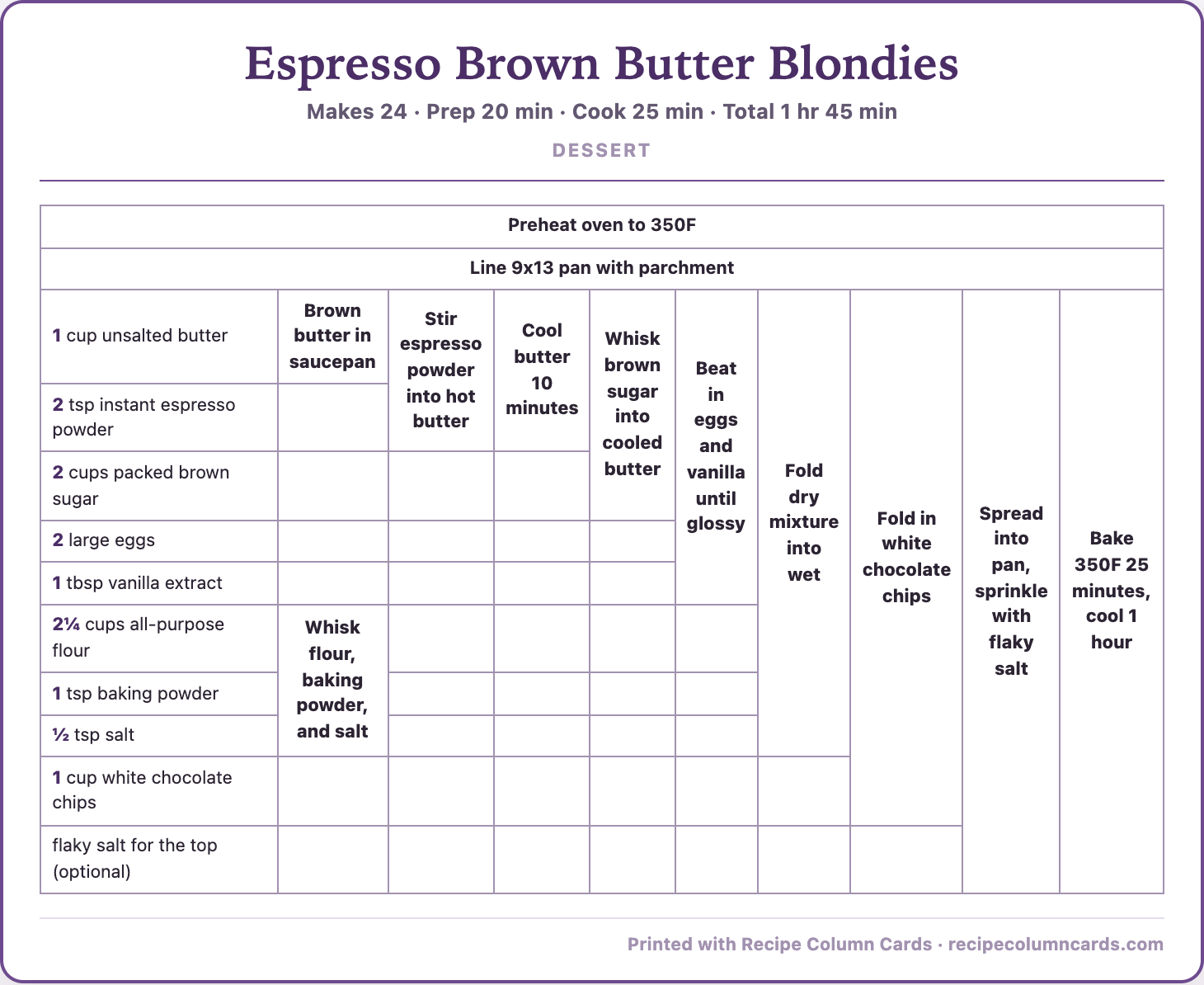
A while later Shelley sent me an Instagram post about a recipe format where the whole thing is laid out as a grid. Ingredients run down the left, and each step reaches across and gathers up the ingredients it needs. The comments were split down the middle. People either loved it or thought it was the ugliest thing they'd ever seen.
We both loved it. Shelley said I should make an extension. So here we are.
Where the grid came from
I didn't invent this layout and I want to be clear about that. Michael Chu published it back in 2004 on his site Cooking for Engineers, where he called it tabular recipe notation. It spent two decades as a thing engineers and cooks passed around, then it hit social media again in 2026 and a whole new batch of people got to have opinions about it. I'm one of the people who fell for it.
What I built is my own take on that idea, drawn my way, in my colors, and hooked up so it works on recipe pages you're already reading. I'm not affiliated with Michael Chu or Cooking for Engineers, and nothing here is endorsed by them. Go read his site. It's good.
What I actually made
Recipe Column Cards is a Chrome extension. You're on a recipe page, you click it, and it reads the recipe data the page already publishes and prints a grid card. No pasting, no retyping, no picking things off the page by hand. The card is built to be printed and cooked from, so the type is big and the whole thing lands on one sheet.
It doesn't strip ads or republish anybody's recipe. It reformats a page you're already on so you can print it for your own kitchen, the same as copying a recipe onto an index card.
About one page in ten doesn't publish the standard recipe data, and on those you get a friendly "couldn't find a recipe" instead of a mangled card. That's the tradeoff I picked. I'd rather it tell you it can't than hand you something wrong.
Who's behind it
I'm Jen. I build small tools under Jen Built It LLC, mostly things I wanted for myself and figured somebody else might want too. This one started as a complaint about dinner and a text from my sister, which is about the size of most of my projects.
Questions, bugs, or a recipe site that won't cooperate: support@jenbuiltit.com.
Try it on tonight's recipe
Three free prints a month. No account, no email, nothing to cancel.
Add to Chrome, freeOr read what Pro adds first.
Does your brain love it or not?